



A daughter in another state is helping her dad find a local attorney. He already has a will. What she wants to know is whether someone will sit down with him, look at the binder he put together fifteen years ago, and explain what he might need to update. She finds two nearby firms on Google Maps. One lists “legal services.” The other lists “review of existing wills and trusts,” shows the entrance her dad will need, and explains how to book a first meeting. Which firm’s website do you think the daughter will send her dad a link to?
I work with attorneys on their estate planning marketing, and when I review a firm’s Google Business Profile, I look at it from that daughter’s perspective. Can she tell at a glance whether the firm will review her dad’s will, what his first appointment would look like, and how to book it? It’s all about removing any friction or ambiguity, step by step. Start with the category that tells families what kind of law you practice. Then use your service descriptions, photos, and posts to answer the questions that will help clients choose you over someone else.
Key Insights
- Only 1 of 30 firms spoke directly to families who already had a will or trust. I reviewed the top three unpaid Google Maps results in ten metro areas. Every firm had a business description, but only one used it to address people looking to update an existing plan.
- Build your service list around the appointments clients can book. A parent drafting a first will and a family reviewing a 15-year-old trust need different appointments. If you offer both, give each its own entry and explain what the attorney will help the client decide.
- Make the first meeting easy to book. Only 13 of the 30 profiles had an appointment link, and none of the descriptions told families what to bring. Link directly to the booking page and tell visitors who they’ll meet, how long it takes, what it costs, and which documents they’ll need.
- Track which Google Maps inquiries become signed matters. Only 3 of the 30 firms used a tracking tag on their profile’s website link. Tag yours, then have intake record the source, matter type, and outcome so you can see which inquiries turn into the estate planning work you want.
What I found on 30 top-ranking Google Business Profiles for estate planning firms
Before writing this guide, I searched Google Maps for “estate planning attorney” in ten metro areas, from Pittsburgh to San Diego. In each market, I reviewed the first three firms that appeared below or outside the ads. All 30 firms had written a business description, but only one used it to address someone who already had a will or trust.
Here’s what else I found across those 30 profiles:
- Primary category. 28 of 30 firms listed Estate planning attorney as their primary category.
- First appointment. Five descriptions promised “peace of mind.” Five mentioned the first meeting, usually to say it was free. None told a family what to bring.
- Booking and updates. 13 profiles included an appointment link, and nine displayed at least one post.
- Website destination. The Website button led to the firm’s homepage on 28 profiles, including one for a firm whose description listed five offices.
- Tracking. Three firms added a tracking tag to the website link on their profile.
Now consider what those results look like to a daughter helping her dad review a will he signed 15 years ago. She can see which firms handle estate planning. What she still wants to know is whether an attorney will review a will someone else drafted, whether her dad should bring it to the first meeting, and how to book that review. If your firm does this work, a sentence in your description can answer the first two questions. An appointment link labeled “Book a will review” can answer the third.
How I checked: I searched Google Maps for “estate planning attorney” plus the city name in Charlotte, Denver, Kansas City, Minneapolis, Nashville, Phoenix, Pittsburgh, Portland (Oregon), San Diego, and Tampa, took the first three results that weren’t ads, and read each firm’s public profile on Google. Rankings change with the searcher’s location and over time, so treat this as a snapshot.
Which Google Business Profile categories should estate planning attorneys choose?
For a U.S. firm whose main business is preparing and updating estate plans, choose Estate planning attorney as the primary category. Sign in to the account that manages the profile, find the firm in Google Search, open Edit profile, and look for Business category. Choose the matching entry from Google’s list. Google uses categories when deciding which local searches a business is relevant to, and recommends the most specific one that accurately describes the business.
Here’s where the choice gets interesting. Suppose two firms both draft wills. The first spends most of its week designing estate plans for families. The second primarily advises older adults on long-term care planning and also prepares wills for those clients. The first has a clear case for Estate planning attorney. The second should consider Elder law attorney as primary and estate planning as an additional category. That setup can still rank for estate planning searches. In Charlotte, one of the top three Google Maps results for “estate planning attorney” is an elder law firm with Elder law attorney as its primary category, and Maps labeled it an estate planning attorney in those results. To settle a close call, look at the last quarter’s opened matters and ask the lawyers what work the office regularly accepts. You can also make this decision strategically. If one type of work currently accounts for more of your matters but you’d like to take on more of the other type, choose the category for that work as your primary category.
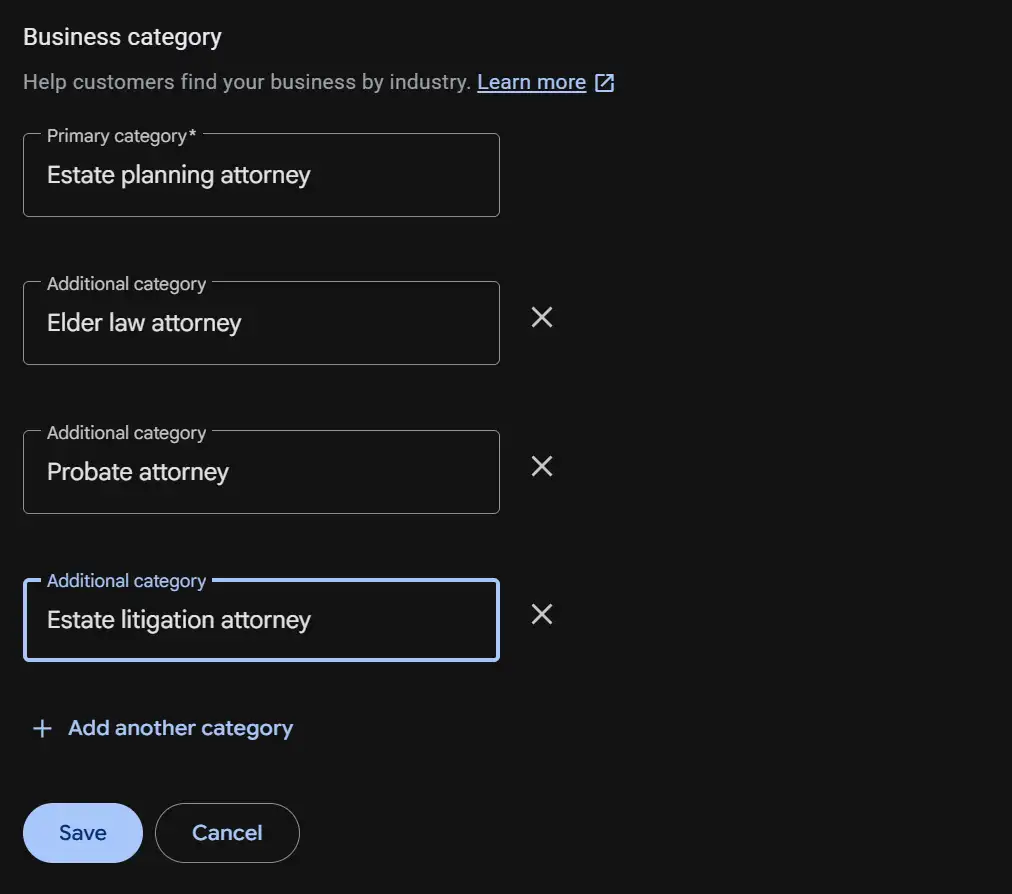
An estate planning firm that routinely takes elder law matters can add that category too. Having older clients alone doesn’t justify it. Likewise, preparing a trust doesn’t mean your firm takes trust disputes. If you handle probate administration, say so explicitly in Services. If you refer it out, leave it off the profile. You want the person who just lost a parent to know, before calling, whether you can help.
How to list wills, trusts, and other estate planning services on Google
Start with the estate planning services your firm offers. When you write the entries, think about how callers describe what they need. Your attorneys might call a service “trust funding,” while the question your intake team hears is, “How do I put my house in my trust?” You can use “Trust funding” as the service name and explain in the description that you help clients transfer their home into their trust.
Give each distinct service one entry. “Will drafting,” “drafting wills,” and “last will preparation” all describe the same work, so “Will drafting” is enough. If your firm also offers appointments to review an existing will, “Will review” deserves its own entry. Someone who already has a will can then see that your firm can help with theirs.
To add your list, open Edit services on your Google Business Profile. For each service, choose a suggested name if it fits. If none fits, add a custom service. If your profile lets you add a description and price, explain what the service includes and add the fee if you have a set price. Google may highlight a service on your profile when someone searches for it.
Use the examples below as a starting point. Adjust each description to reflect what your office includes, and use the document names your attorneys and your state’s forms use.
- Will drafting. “We’ll help you decide who should inherit your property, choose someone to handle your estate, and name a guardian for your minor children in your will.” If you only prepare wills as part of a larger estate plan, say so here. Someone looking for a will should know what they’re booking.
- Revocable living trusts. “We’ll talk through what you want a living trust to do, draft it, and help you choose who will manage it if you can no longer do so.” Be specific about what happens after signing. If your fee includes preparing a deed for the family home, say that. If clients receive written instructions for transferring assets themselves, say that instead.
- Trust funding. “Have you signed a trust but still own your home in your own name? We can review how the property is titled and help you transfer it into your trust.” If you offer funding as a separate service, mention whether you’ll work with a trust another attorney prepared. That’s often the first question someone with an existing trust will ask.
- Review of existing wills and trusts. “If you’ve moved, remarried, or had a change in the family, we’ll review your current documents and explain what we’d recommend updating.” Say whether you review plans drafted by another lawyer and whether the appointment fee covers written recommendations, document changes, or the review alone.
- Financial powers of attorney. “We’ll help you choose who can handle financial matters on your behalf, decide what authority to give them, and prepare your power of attorney.” If someone can book an appointment just for this document, make that clear. A caller who wants help managing bills during an upcoming hospital stay may be looking for exactly that.
- Health care directives. “We’ll help you put your wishes about medical care in writing and name someone to speak for you if you can’t speak for yourself.” Use the names people will see on the documents they sign in your state, such as “health care proxy” or “advance health care directive.”
- Estate planning for blended families. “If you want to provide for your spouse and leave an inheritance to children from a previous relationship, we’ll help you work through those goals and put a plan in writing.” This entry makes sense if your firm offers planning tailored to blended families. Describe the decisions you’ll help the couple make.
- Special needs trusts. “If you’re planning an inheritance for a family member who receives public benefits, we’ll review how the gift could affect those benefits and whether a special needs trust fits your plan.” If your firm also advises grandparents or other relatives who want to contribute, mention that. They may be the ones searching.
- Trust administration after a death. “If you’ve been named successor trustee after a death in the family, bring us the trust. We’ll review it with you, explain your responsibilities, and help you decide what to do first.” Say whether trustees can book a single advice session or hire your firm to help through the final distribution.
- Probate and estate administration. “If a family member has died and you’re unsure how to settle their estate, we’ll review the will, if there is one, and help you determine whether probate is needed.” Explain how far your help extends. Preparing the initial court filing is a different engagement from guiding the personal representative through the entire process.
If you list a flat fee, use the price field for the amount and the service description to explain what it covers. For example, under “Will review,” you might write, “The fee covers a review of your current will and a meeting to discuss any changes we recommend. If you’d like us to update the will, we’ll quote that work separately.”
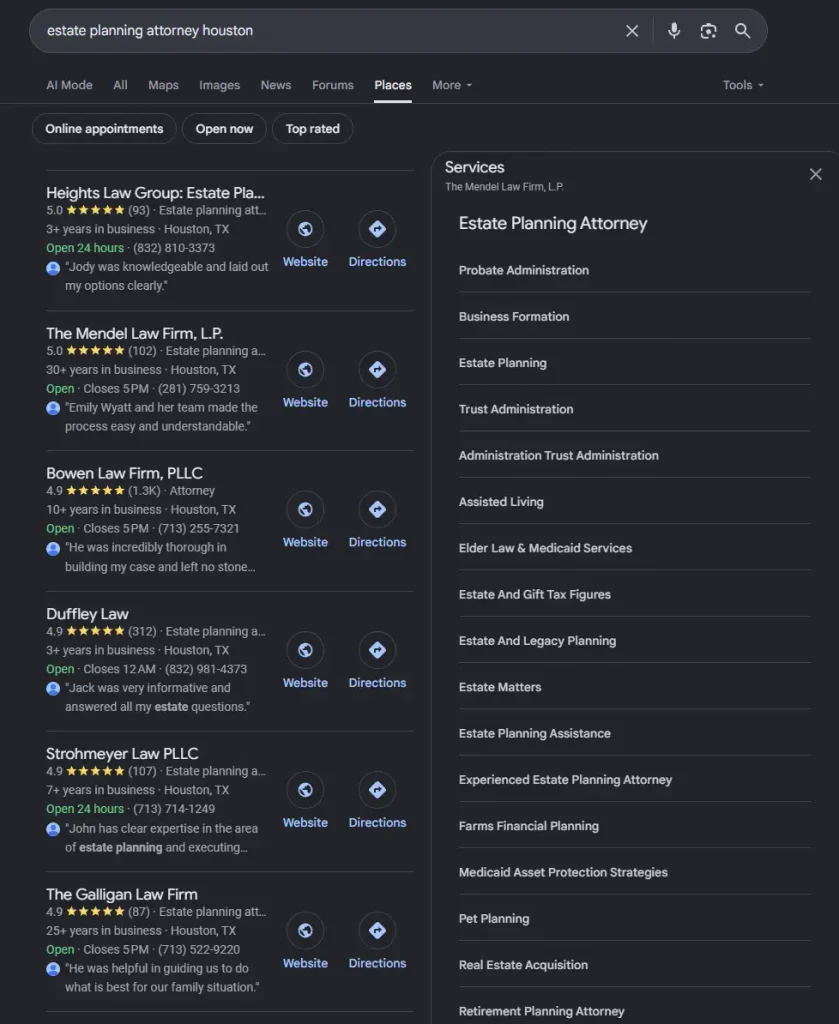
For services you price individually, tell the family when and how they’ll get a quote. A trust planning entry might say, “At your first consultation, we’ll discuss what you want the trust to accomplish. We’ll then send you a written quote that lists the documents we’ll prepare and any help we’ll provide with transferring assets into the trust.”
Google Business Profile photos that help local families choose your estate planning firm
Think about two people looking through your photos. One has an appointment tomorrow and wants to know where to park. The other is choosing a lawyer for her parents and wants a sense of who they’ll be sitting across from. A good photo gallery helps both. Start with the office and the people clients will meet, then keep adding photos that show what your firm is doing in the community.
Show clients how to find your office
Walk from the usual visitor parking spot to your consultation room with your phone. Whenever a first-time visitor would have to decide where to go next, take a photo of what they’ll see from that spot.
- The building from the street. Photograph it in daylight from the direction visitors usually approach. Frame the shot so someone can recognize the building, read the street number, and see which door to use. In a shared office building, a wide shot of the entrance is usually more helpful than a close-up of your firm’s plaque.
- The route from parking to reception. If visitors park in a garage, show the elevator or exit that leads to your office. If the step-free entrance is on another side of the building, photograph it from the drop-off point. Walk the route yourself and add written directions to your contact page so a family can plan where to drop off a parent.
- The room where the appointment happens. Show reception and the consultation room as clients will find them. A photo taken from the doorway can help someone see whether there’s room at the table for a spouse, an adult child, or a mobility aid. Before taking it, check the frame for client names on folders, calendars, sign-in sheets, and screens.
Introduce the people clients will meet
If someone books a consultation with your firm, who will greet them, and who will sit down with them to discuss their family? Photograph those people where clients will actually meet them. A photo of your intake coordinator at the front desk gives a first-time visitor a familiar face. A photo of the attorney in the consultation room helps a family picture the conversation before they book it.
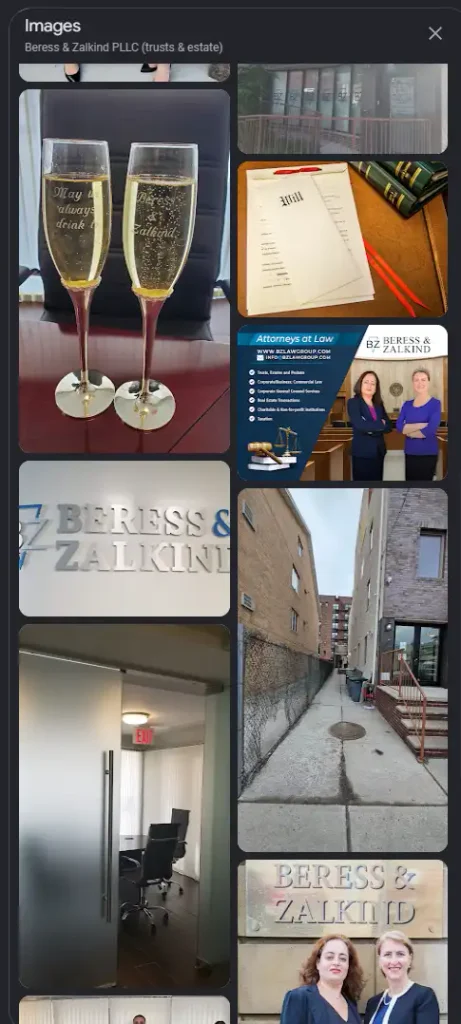
Keep these photos current as the practice changes. If a new attorney starts handling trust reviews or a new team member takes over reception, that’s a good occasion to update the gallery.
Add photos from estate planning workshops and community events
Look for moments that show what your attorneys contribute locally. If you run a program at the public library on what to bring to a first estate planning appointment, photograph the attorney answering a question with the event title visible behind them. Someone browsing your profile can see what you teach and get a feel for how you explain it.
The same idea applies to a Q&A for family caregivers, a talk at a senior center, or a fundraiser your team helps organize. At a fundraiser, a photo of staff checking in walkers or packing deliveries tells visitors more about your involvement than a picture of the event banner alone. Put photos on the event checklist so someone remembers to take them, and get permission from anyone whose face will be recognizable.
Show what a finished estate plan looks like
A family’s estate plan is private, but you can still show prospective clients what they’ll receive. If clients leave a signing appointment with an organized binder and written trust funding instructions, photograph a sample set prepared for public use. Open it to the checklist so someone can see how you’ll help them with the steps that come after signing. Use the materials your firm actually provides and keep real client documents out of the shot.
For results that lend themselves to a photograph, look at your public work. If your firm helped run a free wills clinic, share a photo of the volunteer team after the event. In an accompanying Google Business Profile post, you can report how many families completed wills that day if the organizer has confirmed the figure. The photo shows who did the work, and the number tells readers what the clinic accomplished.
Keep the gallery current
Choose a sharp, well-lit cover photo that answers the most common question visitors have. If callers regularly ask which entrance to use, lead with the exterior. If most prospective clients ask who they’ll meet, use the attorney in the consultation room. Google may display a different photo first, so check the public gallery on your phone after uploading.
Refresh the office photos when the entrance, signage, or team changes. For ongoing updates, tie photography to the firm’s calendar. A quarterly library workshop gives you four natural occasions a year to share something recent and gives local families a reason to recognize your attorneys before they need one.
How to write a Google Business Profile description that helps families choose your estate planning firm
A couple who just moved to your city may already have wills, a living trust, and a specific question: “Will a local attorney review the plan we signed in another state?” If your description says you offer “comprehensive estate planning,” they’ll still have to call to find out. A sentence explaining that you regularly review existing plans answers their question while they’re deciding whom to contact.
Of the 30 top-ranked profiles I read for this guide, one description spoke to people who already have a plan. Most of the others talked about years of experience and the documents the firm drafts, and a few listed unrelated practices like bankruptcy and personal injury.
What to include in your estate planning firm description
You have 750 characters. I’d use that space to answer four questions a prospective client is likely to have.
- Do you handle my situation? Name your city and the work you want to attract. “We help families in [city] prepare wills and living trusts” is a useful opening. If a significant part of your practice involves blended families, business owners, or families moving into the state, use the next sentence to speak directly to them.
- What can you help me accomplish? Give the reader a result they can picture. For a parent, that might be choosing who would manage a child’s inheritance and when the child would receive it. For someone with an older trust, it might be finding out whether the instructions still reflect their wishes.
- What experience or credentials make your firm a good fit? Choose a detail that matters for the work the family needs. If an attorney holds a board certification in estate planning, use the credential’s exact title and name the certifying organization. A relevant professional affiliation can also tell readers something about your practice, especially if you can describe the attorney’s role. For example, if they teach trust administration workshops through a local estate planning council, say so. That gives a family choosing a trustee a concrete sense of the experience you’ll bring to the conversation.
- What happens at the first appointment? Use the detail your intake team gets asked about most. For a firm that reviews existing plans, “Bring the documents you already have, even if another lawyer prepared them” may do more to prompt a call than a generic closing line inviting people to get in touch.
Example Google Business Profile description for an estate planning firm
We help families in [city] prepare wills and living trusts and review estate plans after a move to [state]. Our attorneys also guide trustees through trust administration. If another lawyer prepared your plan, you’re welcome to bring it in. At your first appointment, we’ll go over who you’ve named to make decisions, how you want your property distributed, and what we recommend updating. We meet in our [neighborhood] office and by video.
Keep your firm’s description consistent across Google, your website, and legal directories
Legal directories and lawyer rankings accounted for 24 of the 34 sources ChatGPT cited in a test of six local lawyer searches, including one for estate planning attorneys in Columbus, Ohio. Law firm websites accounted for just two. In the same test, 21 of Google AI Mode’s 25 sources were Google business listings. Depending on where a family searches, an AI assistant could draw on your Google Business Profile or a directory bio you haven’t updated in years.
Suppose you want families who recently moved to [city] to find your firm when they ask, “Who can review the trust we set up before we moved here?” On your Google Business Profile, say that you review trusts prepared in other states. On your website, explain what the review covers and which documents to bring. Then check the bio of the attorney who handles those reviews on Avvo, Justia, and FindLaw. All three appeared in BrightLocal’s research on the sources ChatGPT uses for local searches.
If a directory bio still describes the attorney’s work simply as “general practice,” add a sentence about their experience reviewing wills and trusts for families who’ve moved into the state. The wording can vary across profiles. What should stay consistent is the answer to the family’s question: this attorney practices in their area and handles the kind of trust review they need.
Google Business Profile post ideas for estate planning attorneys
Your intake team already knows what belongs in your first few posts. Which question comes up before someone agrees to book? Which misunderstanding causes a cancellation? If several callers think they have to inventory everything they own before meeting a lawyer, start there. Here’s how I’d turn three common situations into posts, each with somewhere specific for the reader to go.
The couple putting off a first meeting
Sample update. “Still looking for the paperwork before you book? For our first planning conversation, a rough list of what you own and the names of the people you want to provide for are enough to get started. If you have a will or trust already, bring a copy. Here’s our one-page guide to preparing for your visit.”
Link the button directly to the preparation guide. Match the copy to your actual requirements. If intake needs an existing trust in advance, give that instruction on the linked page and explain how to send it securely. You can measure downloads or subsequent bookings from this post.
The family that recently moved
Sample update. “Moved to [state] with a will or trust from somewhere else? You can bring that plan to our office for review. We’ll ask what’s changed, look through your documents, and talk about any updates worth making. Here’s what our plan review includes and how to schedule one.”
Send the reader to the plan-review page. Include the fee there if it’s fixed, whether you offer video appointments, and what someone will leave the meeting with. This is also a good destination for an intake employee to share with a caller who’s comparing firms.
The adult child researching on a parent’s behalf
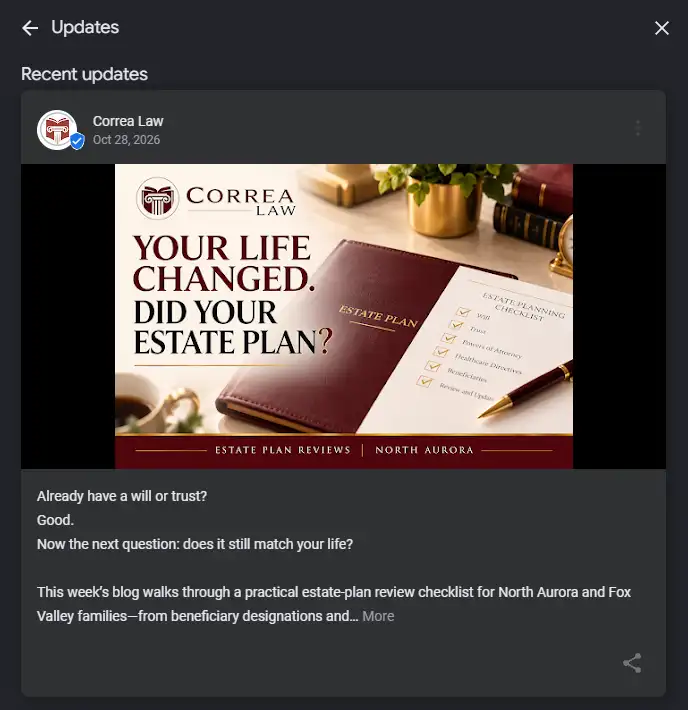
Sample event. “Helping a parent get ready for an estate planning appointment? Join [attorney] at [venue] on 2026 for a conversation about organizing existing documents, making a list of questions, and understanding what a first meeting covers. You’re welcome to attend with a parent. Reserve a seat here.”
For a real workshop, use Event and enter the date, start and end times, and registration link. Make sure the sign-up page says whether there’s a cost, where to park, and whom the session is for. For an ordinary educational post, use Update. In both cases, test the action button on a phone after publication.
You can learn which topics your families respond to without committing to a weekly publishing schedule. Try one question from intake, send readers to one relevant page, and record what they do there. A workshop that fills seats and a guide that leads to planning consultations have different jobs. Judge each by the action it invited.
How to turn Google Maps inquiries into estate planning consultations
Suppose a daughter is helping her dad find a local attorney to review a will he signed years ago. She finds your firm on Google Maps and taps Website. Can she tell from the page she lands on that you review existing wills, which office her dad can visit, and how to schedule a consultation? Try it on your phone. If you have to open the navigation menu and hunt for the answer, you’ve found the first thing to fix.
Link your Google Business Profile to the right office page
Before you choose the page, check where the link goes now. This fall, I reviewed the online setup of a small estate planning firm in the New York suburbs. Its Google Business Profile pointed to a second version of the firm’s website, one set up so Google wouldn’t index it. The website the firm actually kept up wasn’t the one Google Maps sent families to, and the profile ranked for almost nothing. Tap Website on your own public profile and make sure it opens the website you update.
For a single-office estate planning firm, the homepage can be the right destination if it answers those questions near the top. For a firm with several locations, link each office’s profile to its own page. Show which attorneys see clients there, which estate planning services they offer at that location, and how to book with that office. If the page says you review existing wills and trusts, put the option to schedule that review alongside the description. That’s the moment the daughter has enough information to act.
Tell families what they’re booking before they choose a time
If your profile offers an appointment link, send visitors directly to the booking page. “Schedule a consultation” leaves a family guessing about the commitment. “Book a free 15-minute call with our intake coordinator” tells them who’s on the call, what it costs, and how much time to set aside. If the first appointment is a paid review with an attorney, give the fee and duration and explain whether the attorney will review the documents before or during the meeting.
Make room for the person arranging the appointment, too. A field labeled “Who is the appointment for?” with options for “Myself” and “Someone I’m helping” lets the daughter book on her dad’s behalf. If she selects the second option, ask whom the office should contact to confirm. That saves reception from having to work out whose name is on the calendar and whose will needs reviewing.
The firm in the New York suburbs had a version of this problem too. Its website told visitors their first consultation would be with the attorney, while the chat window on the same pages invited them to talk to an AI assistant. Both can be true, but a family reading them side by side has to guess what booking gets them.
Test what happens when someone calls from Google Maps
Tap Call on the public profile during office hours and listen as a first-time caller would. If you reach reception, how quickly can someone route a question about an existing will? One opening question can help if the same team handles planning and probate. “Are you calling to make or update an estate plan, or do you need help settling an estate after someone has died?” Both callers may open with “I’m calling about my dad’s will,” but they need different appointments.
Call again after closing. The voicemail should tell callers what contact details to leave and when they can expect to hear back. If your team returns after-hours calls the next business morning, say so in the greeting. Then leave a test message and check when the callback actually happens.
How to track estate planning leads and signed matters from Google Business Profile
Once a month, open Performance and look at the search terms and interactions available for the location. Google’s call metric counts clicks on the call button. An answered call, a booked consultation, and a signed engagement are separate events that your team has to record. The report can include activity from Google Ads as well as organic results.
Give your profile’s website link a consistent tracking tag, such as ?utm_source=google&utm_medium=organic&utm_campaign=gbp. For a workshop link, add &utm_content=planning_workshop to the same tags. If the destination already has a question mark, append the tags with an ampersand. Check that the page loads and your analytics records the visit. For phone inquiries, ask how the caller found you, and record “Google Maps” when that’s what they say. Leave an uncertain source uncertain.
Build a better case acquisition system for your law firm.
Tell us about your firm and your goals. We’ll give you our honest take on how to get there.
At month-end, compare planning inquiries, consultations held, and signed planning matters. Keep administration inquiries in a separate count. Suppose intake logs twelve profile inquiries and eight are probate calls your firm refers elsewhere. Before you invest in more visibility, check what the public listing, service descriptions, and linked page say about probate. If the inquiries already fit but few people book, listen to how intake explains the meeting and its fee. Those two patterns call for different changes.
Google Business Profile checklist for estate planning law firms
Once you’ve updated your profile, open the public listing in Google Maps on your phone. Start where a prospective client would and work your way through to a consultation request. Here’s what I’d check before calling the profile fully optimized.
Check your office details and follow the directions
Confirm the phone number, hours, street address, and suite number. Then tap Directions. Where would a first-time visitor end up? If Maps takes someone to the front of the building but the visitor entrance is around the corner, photograph the correct door and add a line to your contact page explaining how to reach it. That detail matters to someone dropping off a parent before finding a place to park.
Match your categories and services to the matters you accept
If your firm’s main business is preparing and updating estate plans, confirm that Estate planning attorney is your primary category. Check each additional category against the work your attorneys regularly accept, then read the service descriptions. If you draft trusts but refer out trust disputes, can a prospective client tell which type of help you offer?
Try the same check with a less obvious distinction. A couple who need their first wills may recognize “will preparation” immediately. Someone who already has a will may skip over that entry, even if reviewing older documents is exactly the work you want. If you review plans drafted by other attorneys, say so explicitly.
Compare your business description with your office photos
Read the description, then open the photo gallery. If you invite families to meet with you in person, can they recognize the entrance, see the room where they’ll sit, and identify the attorney they’ll meet? Look for anything that could send someone to the wrong place, especially an exterior photo from a previous office or an old sign with a different suite number.
Open the links in your Google posts
Choose a recent post and follow its button. If the post promises a first-meeting checklist, you should land on the checklist. If it promotes a workshop, try registering from your phone. A working link to the firm’s events calendar can still lose the reader if they have to hunt for the session they just saw.
Test the consultation request from start to finish
Follow the booking link and check what someone can learn before choosing a time. Will they speak with an attorney or an intake coordinator? How long is the appointment? Is there a fee? Submit a test request, confirm that intake receives it, and read the confirmation. If the next step is a callback, the person who booked should know when to expect it.
Trace a Google Maps inquiry through intake
Ask intake to pull up a recent inquiry from someone who found the firm on Google Maps. Can you tell what they called about, whether they attended a consultation, and whether they hired the firm? A caller who signed an engagement for a living trust and a caller you referred elsewhere for probate both count as inquiries. Recording the matter type and outcome tells you whether the profile is attracting the work you want.
For one final check, hand your phone to someone outside the practice and ask, “My dad has an old will that another lawyer drafted. Can you find out whether this firm will review it and how he’d book a meeting?” Let them try without coaching. The first question they have to ask you is the one I’d answer on the profile.